Tuesday, March 28, 2023

DIY Series 32: Fixing Panasonic 1HP Aircond Louvre / Swing Motor


Panasonic 1HP Aircond Louvre / Swing Motor DIY Replacement


When your aircond unit is getting aging, most likely you will be facing such issue where the louvre is not able to open up to max, or not even halfway (and auto-swing is not working). This will definitely limiting the cold air flow to flow to a distance away.

This problem is normally caused by malfunction of louvre motor. For Panasonic 1HP aircond, it is very easy to source online for the replacement parts. Just look for the one labelled as "28BYJ46" 12V DC Motor. It might cost you RM15 (for OEM) to RM30 or even more (for original parts). Examples shown as below, I am using "Tokayp" brand bought from Lazada this time.


You do not need special tools to dismantle the aircond front grille, just a screwdriver will do. Of course, you will need some basic know-how on how to do proper dismantle and re-assemble the cover and parts.

1) Remember to power OFF the aircond before start any activities.


2) Lift open the vertical vane gently
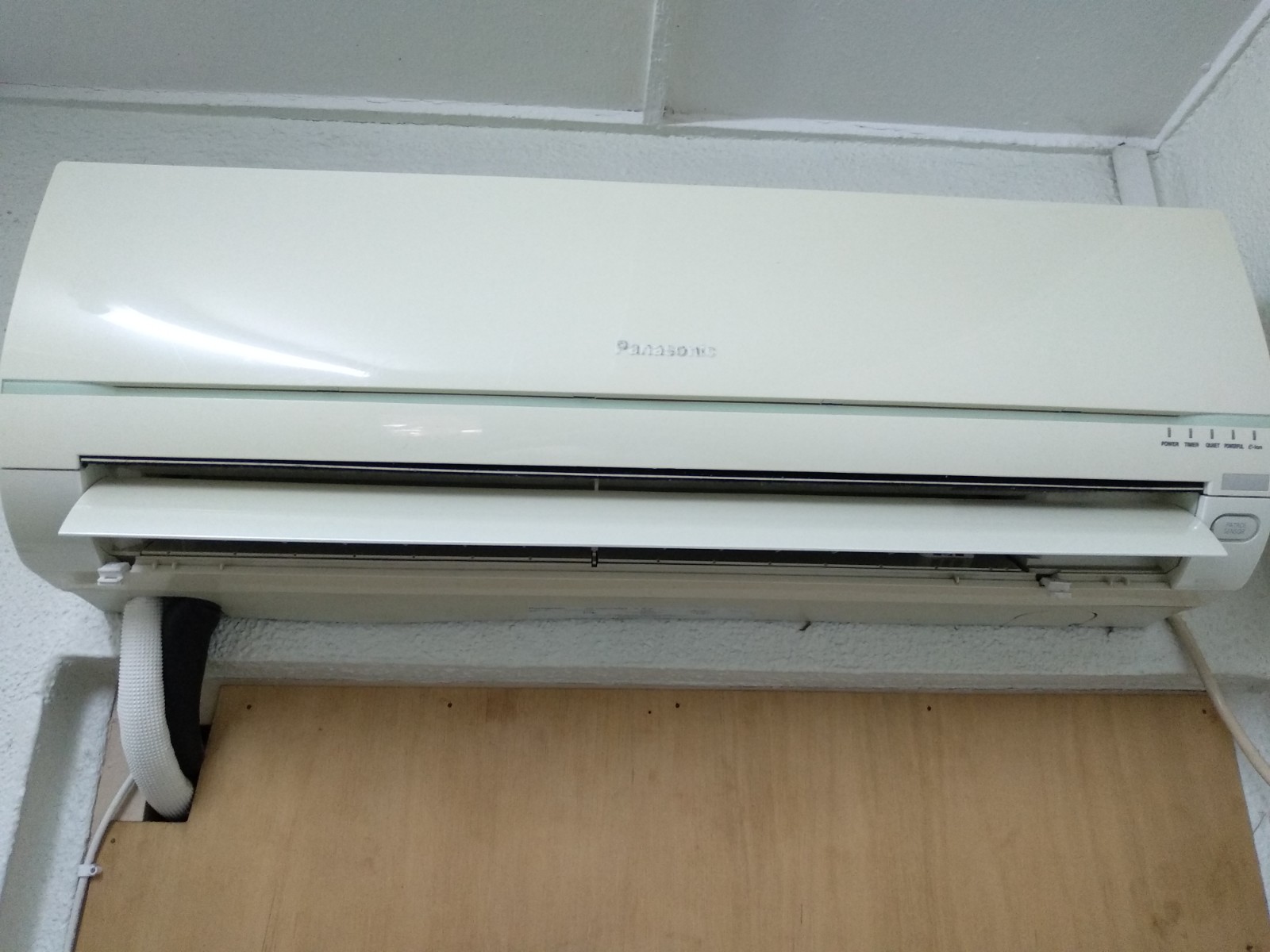


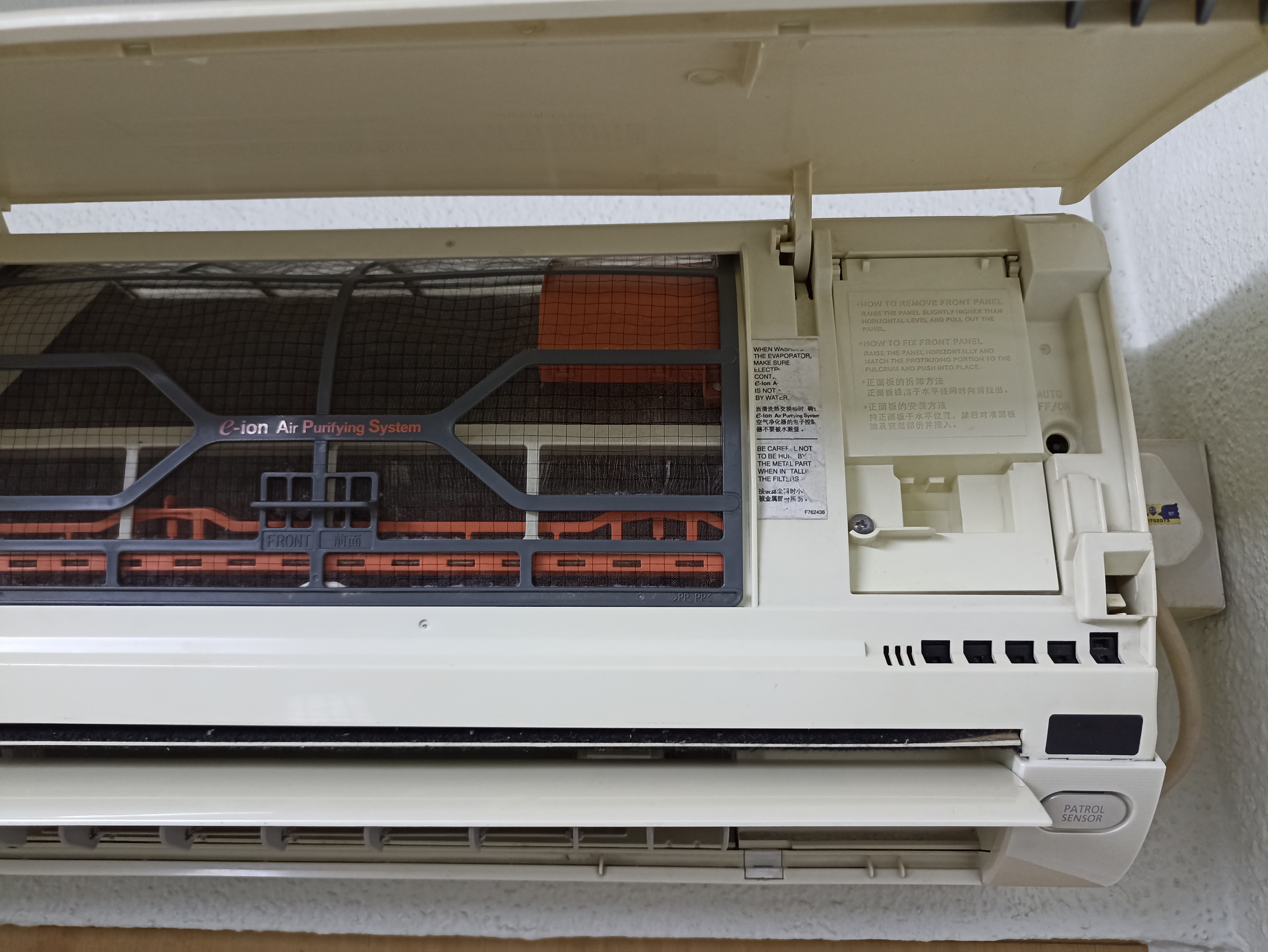
3) Remove the 2 caps and 2 screws at the bottom of the discharge vane


4) Hold both sides of the front grille and remove it by pulling up and toward yourself gently


5) Take out the front grille from indoor unit


6) You can find the louvre motor located at the right side


7) Identify and detach the connector from the main board, unscrew the louvre motor and remove it from its location


8) Get the new louvre motor and screw it onto the same location as replacement.


9) Power ON and test its functionality, then re-assemble the front grille back according to reverse order.


10) After completed re-assemble process, you may now switch ON the aircond and the louvre motor will operate as desired.


Wednesday, January 04, 2023

Tools Series #1: HOME DIY USING BLACK & DECKER POWER TOOL 550W (KR554REKP20-B1)

I had been doing DIY projects for household related installation / projects for many years. One of the most important tools needed is a suitable and yet affordable power drill. All these whiles, I am using Black+Decker KR554REKP20-B1 550-Watt 13mm Hammer Drill. I had been using it for many years since then, it serves its purpose perfectly. 


Brand: Black & Decker
Model: KR554REKP20-B1 550-Watt 13mm Hammer Drill 

Specifications:
  • Power: 550-Watt
  • Chuck Capacity: 13mm
  • Impact Rate: 0 - 47,600 BPM
  • Speed: 0 - 2,800 RPM
  • Max Drilling Capacity: Wood - 20 mm, Steel - 13 mm, Masonry: 13 mm
  • Cable: 2m 
  • Remark: Suitable for home drilling

Features: 
  1. Drilling / Hammering mode provides the power and speed to drill into masonry, steel and wood
  2. Variable speed for ultimate finger tip control for all drilling applications
  3. Reverse Brush System for full torque and power in forward and reverse
  4. Lock on button for continuous use
  5. To use the power drill effectively, it is necessary to choose the correct drill bits. There are different types for different purposes.

  • Masonry Bits
  • Tiles Bits
  • Woods Bits
  • Multipurpose Bits
    Most of the time, I will choose multipurpose bits (6mm, most commonly used) to cover both tiles and masonry (cement) drilling, on "Hammer Mode" of power tools.

    Among the DIY projects involved drilling as listed below:

  • Fabricate Plywood Water Filter Wrench 
         https://gr8place2go.blogspot.com/2021/01/diy-series-2-mco.html

  • Household Water Heater Installation
         https://gr8place2go.blogspot.com/2021/07/diy-series-7-mco.html

  • Wall Mounted Foldable Table
         
    https://gr8place2go.blogspot.com/2022/04/diy-series-26-wall-mounted-foldable.html

  • Installation of Home Surveillance PTZ Security Camera
         https://gr8place2go.blogspot.com/2022/11/diy-series-30-installation-of-home.html

    and many more to be shared in near future.
       
  • Wednesday, November 30, 2022

    DIY Series 31: Easy Installation of Kinetic Wireless Battery-Free Doorbell

    Thinking of installing a new door bell, but there is no wiring available? or the existing door bell spoilt and looking for replacement?

    Here is the solution. Battery-free wireless doorbell requires no battery and no wiring. It is totally hassle free, easy to install, and maintenance free.

    It uses a unique technology for energy harvesting with ultra-low-power wireless technology (pending for worldwide patents). 

    When users press the bell button, energy converting module inside will change the mechanical energy into electric energy. Then the wireless module of the button sends the signals to receiver. The receiver receives the signals and plays music / react accordingly. 

    Advantage of Kinetic Battery-Free Doorbell

    1. Battery-free bell button (use kinetic energy)
    2. No wire (wireless transmission)
    3. Long working range (100m to 150m)
    4. Multiple melodies and sound levels (on your choice)
    5. Easy installation (hassle free)
    6. Waterproof and anti-sunshine (worry free)

    Users are freely to configure it in various combination, according to the actual needs. You may pair multiple chimes to a single button (Type 1), or multiple buttons pair to a single chime (Type 2).

    Type 1: Add chimes, no limit to the number of chimes. Just add chimes as needed. 
    Type 2: Add buttons, maximum of 3 buttons can be learned to a single chime.


    There are 2 models commonly available, E2 Model and N1 Model.
    E2: Basic unit, no memory function and no self-learning mode. Cheaper in price.
    N1: Programmable unit, with memory function and self-learning mode. Slightly higher price.


    Self-Learning Function:

    With this Self-Learning function, it is available to pair additional buttons and chimes by yourself. This is perfect for the houses with many doors or many rooms. Maximum of 3 buttons can be learnt to a single chime.

    There is no limit for the numbers of the chimes, you can add as many chimes as you want to pair with one button.

    Repeater Function:

    Each chime can be a repeater, plug in the repeater in the middle of the working range, this set of doorbell can easily reach to distance of over 200m in an open area.

    Easy Installation:

    The battery-free wireless doorbell consists of transmitter (button) and receiver (chime). Just place the transmitter at the door / gate, and plug in the receiver into any 13A power point.


    I personally had been using this Kinetic Wireless Battery-Free Doorbell for more than 3 years. Till now, my unit is still in good condition. 

    Friday, November 25, 2022

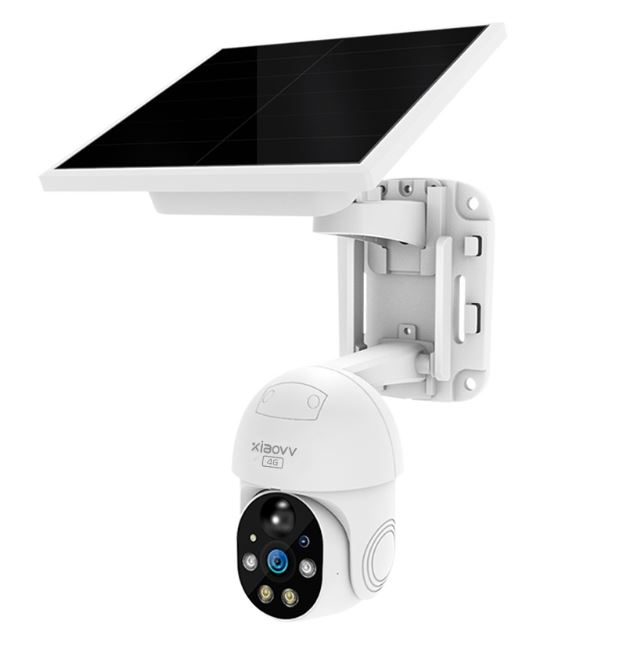
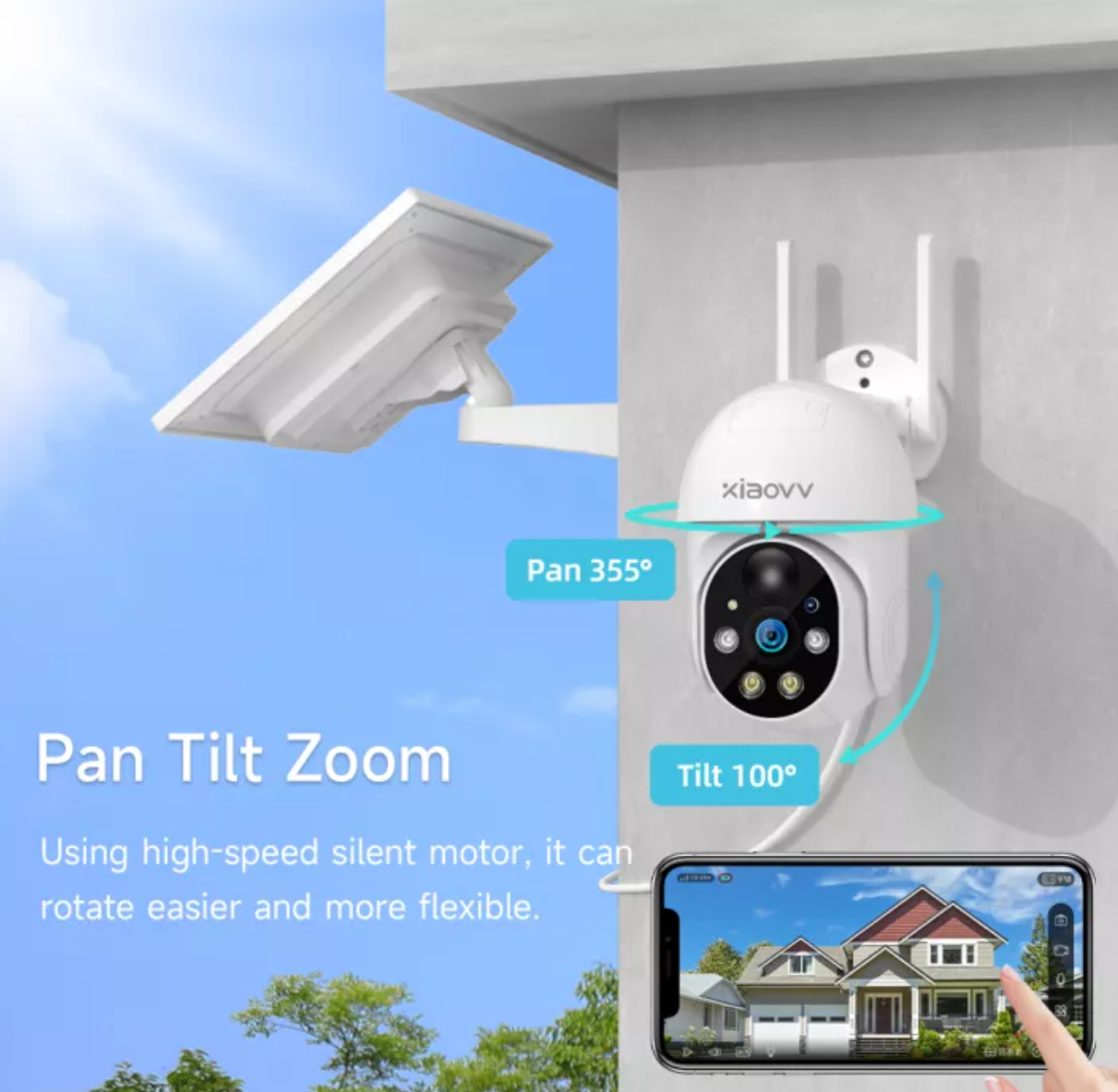
    DIY Series 30: Installation of Home Surveillance PTZ Security Camera (XiaoVV P6 WiFi Solar Edition)

    Pan-Tilt-Zoom (PTZ) cameras are built with mechanical parts that allow them to swivel left to right, tilt up and down, and zoom in and out of a scene. They’re typically used to monitor wide open areas up to 360-degree viewable angles, and monitor them through a remote camera controller. Depending on the camera or software, they can also be set to automatically follow motion-triggered activity or adhere to a pre-set schedule. PTZ cameras are generally implemented in tandem with a larger surveillance system, in which the PTZ tracks movement while a fixed camera takes detailed shots.


    Selection of correct Surveillance Security Camera is very important, it solely depends on your target purpose, installation location and also budget allocated. Make sure it is using H.265 video encoding, which it deliver higher video quality. 


    First, I set my target to choose a PTZ camera as I wish to cover maximum view of angle (up, down, left, right, zoom). Next, I want to install at my house car porch / main gate and I do not have any power point / wiring available readily at the target installation location. Lastly, I only budget about RM300 for a unit of PTZ Surveillance Security Camera.

    Hence, I searched online and found this specific model, "XiaoVV P6" model match my target criteria, it available in 2 models, WiFi version and 4G SimCard version. Besides, it is powered either by DC 5V via USB cable (comes with DC Power Adaptor) or solar panel. 


    It also comes with several brackets (for solar panel + PTZ Camera), for multiple options of mounting installation.

    Integrated Installation (All-in-One Bracket)

    Separate Installation (Using Two Brackets)

    I had proceed to place an order at Lazada on 11.11, for a "XiaoVV P6 WiFi Solar-Powered" model. I also purchased a 128GB SD Card separately. All together costs me below RM300 (during 11.11 sale, after discount).

    Main Features:
    1. Remote monitoring
    2. Motion detection, alarm push
    3. Full color night vision
    4. Voice intercom
    5. Cloud Storage (optional service required payment)
    6. Wireless connection
    7. Mobile Tracking
    8. Preset position, automatic cruise
    9. Active alarm
    10 Horizontal direction: 355°, Vertical direction: 110°
    11.IP65 dustproof and waterproof
    13. Human detection
    14. Sound and light alarm, full color night vision
    15. Resolution: 2MP


    This PTZ camera have full colour night vision with Infrared and LED light. Best of all, it is a PTZ camera with Horizontal direction view up to 355°, Vertical direction view up to 110°.

    Since there is no power / wiring needed, the installation is pretty simple. I choose for separate installation (PTZ camera and solar panel at different location), for maximum coverage of solar charging.

    Holes location stickers provided to assist you to drill the holes needed at correct location.


    To install, just drill 3 holes (6mm size) for the camera bracket, then another 4 holes (6mm size) for solar panel bracket. Stickers was provided to indicate the location of the holes required.


    There are 2 options of power supply mode available in this model. I opted for solar-powered, thus I just leave the DC Power Cable aside without any connection.


    Once placed the camera and solar panel into the dedicated bracket, you just need to connect the power cable between camera and solar panel to power 


    Slot in the SD Card at the bottom of the camera.


    Lastly, look for the switch at the bottom of the solar panel and turn on the battery supply.


    To conclude, after installation, follow 3 easy steps to complete network configuration setup as below:


    You can download the APP using from the QR Code below. Refer to the user manual provided, setup is pretty easy and straight forward. You can also download the PC Client Software installer at XiaoVV homepage.


    To my surprise, the APP is having a pretty good GUI and many control features. It can support up to 4 cameras within the same screen (for viewing). Thus, you can add up to 4 devices under the same screen, and more cameras within the same account for easy management. Beside PTZ functions, it has PIR motion sensor, where the camera will only in recording mode when there is any movement detected. This will further prolong the battery usage especially during nighttime where there is no charging possible with solar panel.

    Single Device View

    Up to 4 Devices View

    You can use the alarm in auto mode / manual mode to have a push warning message to warn the intruder. You can also use it as voice intercom for bi-directional communication. It also support timeline / event set video playback. 

    Timeline Playback View

    Event Playback View 

    From the APP GUI, you can easily check the WiFi signal strength (e.g.: -57dBm) and battery charging / battery status. 


    Solar panel will charge the battery in the day time, and it is more than sufficient to supply battery power to the PTZ camera for daily operation. (My existing solar panel located at porch roof top, is able to start charging from 08:30 to 17:00, which is in the range of best case scenario)

    Look for a suitable PTZ camera and start your own DIY installation. If you have no idea which one to choose, just give it a try on XiaoVV P6 WiFi Solar-Powered PTZ Camera. It is affordable with plenty of features included.

    Latest Update: